Removing a User or Group from a Permission
- Click the SPAdmin program tab:
- Click the Configuration button.
- Click on Permissions in the Security folder.
- In the Permissions window, click on the folder and node under Secured Items from which you would like to remove a user or group. This brings up the properties dialog of the permission node selected.


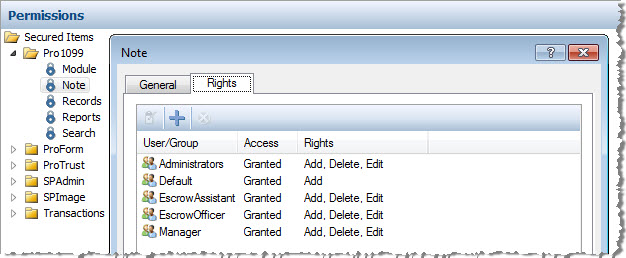
- Highlight the user(s) and/or group(s) you wish to remove and click the Remove Assignment button
 .
. - A Confirm Removal dialog appears, detailing the removal you are attempting to complete:
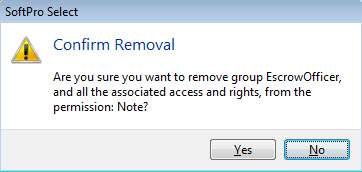
- Click Yes.
- Click OK to exit the properties dialog.
 Related Topics