The Permissions section of SPAdmin assigns user rights (permissions) to administer various actions within the system.
Accessing Permissions
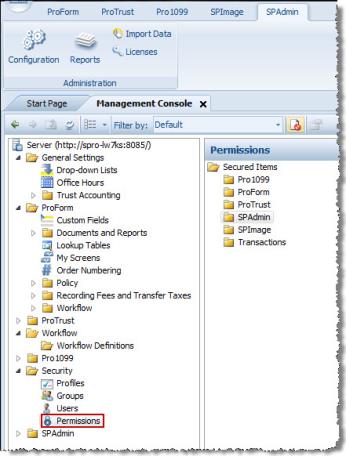
- On the SPAdmin toolbar, click the Configuration button.
- Select Permissions from the Security folder.
- Select the desired folder in the Secured items navigation pane and assign permissions.